Yep, we may get a tiny thank-you (read: commission) when you buy through
links on Autologr — not enough for a yacht, but enough to keep the lights (and
servers) on.
Learn more
9
Highlights
20
Differences
5
Reactions
0
Likes
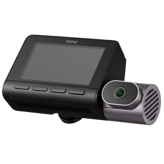
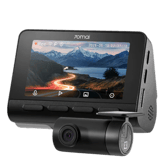
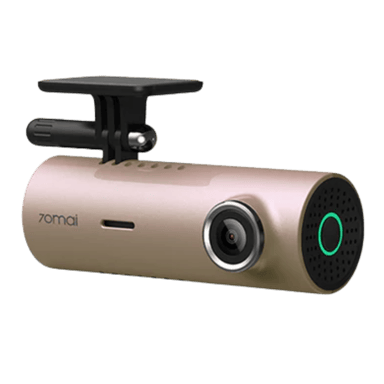
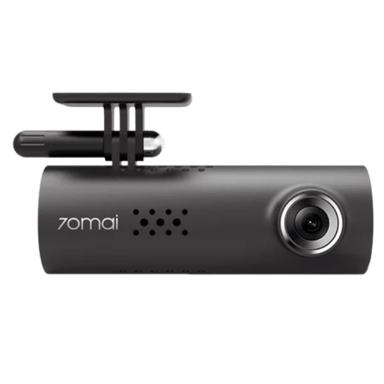
70mai M300
vs
70mai 1S:
9 Highlights & 20 Differences —
So, Which Dash Cam Actually Works Better
M300 offers better video quality; 1S adds convenience with voice commands.
We lined up 70mai M300 and 70mai 1S across wi-fi frequency band, cloud connectivity, video download via app & firmware update method and more to help drivers like you choose the right dash cam with ease.
70mai M300 vs 70mai 1S: A Clear Dash Cam Comparison
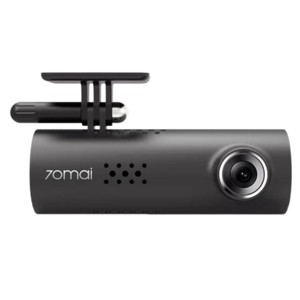
When it comes to dash cams designed for straightforward front windshield installation, the 70mai M300 and 70mai 1S both present solid options. They share numerous core features such as a 5V power input, no hardwire kits, 30 FPS video recording, and support for both English and Chinese languages. Both models also utilize the efficient H.264 codec, and offer emergency recording capped at 30 seconds. Safety essentials including collision detection, file lock protection, and manual file locking come standard, while users benefit from heat resistance and cold start reliability to ensure consistent performance in varied climates. At first glance, they appear very similar, packed inside plastic housings with an identical main unit depth of 1.26 inches and silent operation.
Despite these parallels, there are a few fundamental differences that could sway your choice. The 70mai M300 boasts a wider front lens field of view at 140° with a high-resolution 2304x1296 screen, using a specialized SC3335 sensor. The 1S, on the other hand, features a slightly narrower 130° lens with an unspecified sensor type (CMOS) and completely omits a screen resolution spec. Meanwhile, the 1S brings voice control to the table; a convenience the M300 lacks. Neither model has advanced driver assistance or parking protection, making them relatively basic but reliable options. Pricing reflects their feature disparities, where the M300 is generally priced higher, and the 1S offers a budget-friendly alternative with voice-controlled ease. Let's dive deeper into the strengths of each.
Discover Unique Strengths of the 70mai M300
The 70mai M300's standout feature lies in its camera quality and field of view. Equipped with the SC3335 sensor and delivering a generous 140° viewing angle, this dash cam captures more of the road than its competitor. This wider angle enhances situational awareness, helping to record events from more expansive perspectives, which is crucial in busy urban or highway settings.
The 2304x1296 screen resolution offers crisp local video playback directly on the device itself, allowing drivers to review footage with clarity and detail. Coupled with support for H.264 encoding and a solid 30 frames per second video capture, recordings are smooth and rich with detail.
Its sturdiness is underlined by a heat resistance design and proven cold start reliability, ensuring the camera works well even in extreme temperature conditions. While it lacks voice control, it focuses on reliable core camera performance and video quality, making it excellent for users who want a no-nonsense dash cam with quality imaging at a fair price.
Why the 70mai 1S Remains a Worthy Contender
The 70mai 1S might not rival the M300's video resolution, but it impresses with practical usability enhancements that budget-conscious drivers will appreciate. One of the most notable features is its support for voice control, which offers true hands-free operation. This feature adds convenience and safety by allowing drivers to operate the dash cam without taking their hands off the wheel or eyes off the road.
Its 130° field of view is slightly narrower than the M300's but still wide enough to capture most essential driving footage. The 1S also packs the same robust WDR (Wide Dynamic Range) technology, helping maintain video clarity in challenging light conditions.
Like the M300, it supports important features such as collision detection, file lock protection, and manual file locking; all essential for ensuring critical footage is saved. Coupled with a competitive price point, the 1S is an ideal choice for drivers who prioritize easy, voice-activated control and budget-friendly pricing over ultra-high-resolution video quality.
Quick Take
The 70mai M300 shines with its wider 140° field of view and high-resolution video playback, making it perfect for users who want excellent image quality and expansive road coverage. In contrast, the 70mai 1S offers seamless voice control for hands-free operation at a budget-friendly price, trading a bit of camera resolution for convenience and cost savings.
Bottom Line
If you're after sharper video clarity and a panoramic view that helps capture more of your surroundings, the 70mai M300 is the smarter pick; even if it means paying a bit extra. However, if you want to keep things simple and affordable while benefiting from voice commands that let you control your dash cam effortlessly, the 70mai 1S stands out as an excellent choice. Both are dependable but steer clear of advanced features like parking mode or cloud functions, keeping them focused on basic, dependable dash cam essentials.
Verdict
Winner: 70mai M300 => Superior camera sensor and wider lens provide better video quality and coverage for users who prioritize recording detail.
Runner-up: 70mai 1S => Offers voice control convenience and affordability, ideal for budget-conscious drivers wanting simple hands-free usability.
70mai M300 and 70mai 1S share an operating temperature range from 14°F to 140°F, ensuring reliable functionality under most weather conditions. Both models are equally suitable for use in a wide range of climates.
Defines the temperature range where the dash cam operates reliably.
In the battle of Operating Temperature Range,
70mai M300 ◉ is
same as
70mai 1S ◉
.
Don’t keep it to yourself — be the first to react and review the
Operating Temperature Range on 70mai M300 ◉
vs 70mai 1S ◉ and help others decide!
The installation location for both 70mai M300 and 70mai 1S is the front windshield. This common placement makes them equally convenient and effective for front-view recording.
Indicates the physical installation position inside the vehicle.
In the battle of Installation Location,
70mai M300 ◉ is
same as
70mai 1S ◉
.
Don’t keep it to yourself — be the first to react and review the
Installation Location on 70mai M300 ◉
vs 70mai 1S ◉ and help others decide!
Both 70mai M300 and 70mai 1S feature an audio recording toggle as their legal compliance mode. This flexibility to enable or disable audio recording is perfect for users mindful of privacy laws in different regions.
Supports compliance with local recording and privacy laws.
In the battle of Legal Compliance Mode,
70mai M300 ◉ is
same as
70mai 1S ◉
.
Don’t keep it to yourself — be the first to react and review the
Legal Compliance Mode on 70mai M300 ◉
vs 70mai 1S ◉ and help others decide!
The 70mai M300 and 70mai 1S both do not have removable units. Neither allows detaching the main recording module, which suits users looking for a fixed, tamper-resistant installation.
Indicates whether the main unit can be easily removed.
In the battle of Removable Unit,
70mai M300 ◉ is
same as
70mai 1S ◉
.
Don’t keep it to yourself — be the first to react and review the
Removable Unit on 70mai M300 ◉
vs 70mai 1S ◉ and help others decide!
Both 70mai M300 and 70mai 1S lack a modular design. This means neither offers modularity in their construction, making them similarly integrated without interchangeable components. For those wanting a seamless, integrated dashcam, either model fits well.
Specifies whether components can be added or replaced separately.
In the battle of Modular Design,
70mai M300 ◉ is
same as
70mai 1S ◉
.
Don’t keep it to yourself — be the first to react and review the
Modular Design on 70mai M300 ◉
vs 70mai 1S ◉ and help others decide!
Camera Configuration
What camera configuration does it use?
0
70mai M300
0Votes
Front
0
70mai 1S
0Votes
Front
70mai 1S
Configured as a Front-only camera, meaning it records the forward-facing view of the vehicle but does not include a rear-facing or interior camera.
This setup is typical for drivers focused on road incident capture rather than cabin or rear monitoring.
Indicates how many cameras and viewing angles are supported.
In the battle of Camera Configuration,
70mai M300 ◉ is
same as
70mai 1S ◉
.
Don’t keep it to yourself — be the first to react and review the
Camera Configuration on 70mai M300 ◉
vs 70mai 1S ◉ and help others decide!
Usage Mode
What is the intended usage mode?
0
70mai M300
0Votes
Personal
0
70mai 1S
0Votes
Personal
70mai M300
Intended usage mode is Personal, meaning the feature set and warranty are aimed at individual drivers rather than commercial fleets.
Defines the primary usage scenario for the device.
In the battle of Usage Mode,
70mai M300 ◉ is
same as
70mai 1S ◉
.
Don’t keep it to yourself — be the first to react and review the
Usage Mode on 70mai M300 ◉
vs 70mai 1S ◉ and help others decide!
Release Year
What year was it released?
0
70mai M300
0Votes
2022
0
70mai 1S
0Votes
2019
70mai M300
Release year is 2022, so the feature set and connectivity choices reflect the state of consumer dash cams at that time.
Indicates the year the product model was released.
In the battle of Release Year,
70mai M300 ◉ is
same as
70mai 1S ◉
.
Don’t keep it to yourself — be the first to react and review the
Release Year on 70mai M300 ◉
vs 70mai 1S ◉ and help others decide!
Expandable Storage
Does it support expandable storage?
Yes
0Votes
70mai M300
Yes
0Votes
70mai 1S
70mai 1S
Supports expandable storage, allowing you to insert or upgrade a microSD card to increase recording capacity.
This flexibility makes it easy to replace a failed card or increase retention time without swapping units.
Indicates whether storage capacity can be expanded.
In the battle of Expandable Storage,
70mai M300 ◉ is
same as
70mai 1S ◉
.
Don’t keep it to yourself — be the first to react and review the
Expandable Storage on 70mai M300 ◉
vs 70mai 1S ◉ and help others decide!
Device Type
What type of device is this?
0
70mai M300
0Votes
Dash Cam
0
70mai 1S
0Votes
Dash Cam
Defines the product category and primary function.
In the battle of Device Type,
70mai M300 ◉ is
same as
70mai 1S ◉
.
Don’t keep it to yourself — be the first to react and review the
Device Type on 70mai M300 ◉
vs 70mai 1S ◉ and help others decide!
Mounting Type
How is the dash cam mounted?
0
70mai M300
0Votes
Windshield
0
70mai 1S
0Votes
Windshield
Describes where and how the dash cam is mounted in the vehicle.
In the battle of Mounting Type,
70mai M300 ◉ is
same as
70mai 1S ◉
.
Don’t keep it to yourself — be the first to react and review the
Mounting Type on 70mai M300 ◉
vs 70mai 1S ◉ and help others decide!
Intended Vehicle Type
What vehicles is it intended for?
0
70mai M300
0Votes
Car, SUV, Truck, Van
0
70mai 1S
0Votes
Car, SUV, Truck, Van
Specifies the types of vehicles the dash cam is designed for.
In the battle of Intended Vehicle Type,
70mai M300 ◉ is
same as
70mai 1S ◉
.
Don’t keep it to yourself — be the first to react and review the
Intended Vehicle Type on 70mai M300 ◉
vs 70mai 1S ◉ and help others decide!
Target User Type
Who is this dash cam for?
0
70mai M300
0Votes
Daily Driver
0
70mai 1S
0Votes
Daily Driver
Defines the primary user profile the dash cam is designed for.
In the battle of Target User Type,
70mai M300 ◉ is
same as
70mai 1S ◉
.
Don’t keep it to yourself — be the first to react and review the
Target User Type on 70mai M300 ◉
vs 70mai 1S ◉ and help others decide!
Recording Purpose
What is the recording purpose?
0
70mai M300
0Votes
Accident Evidence, Driving Records
0
70mai 1S
0Votes
Accident Evidence, Driving Records
Explains the main reason for recording video footage.
In the battle of Recording Purpose,
70mai M300 ◉ is
same as
70mai 1S ◉
.
Don’t keep it to yourself — be the first to react and review the
Recording Purpose on 70mai M300 ◉
vs 70mai 1S ◉ and help others decide!
Operating Mode
How does the dash cam operate?
0
70mai M300
0Votes
Standalone, App-Controlled
0
70mai 1S
0Votes
App-Controlled
Describes how the dash cam operates and is managed.
In the battle of Operating Mode,
70mai M300 ◉ is
same as
70mai 1S ◉
.
Don’t keep it to yourself — be the first to react and review the
Operating Mode on 70mai M300 ◉
vs 70mai 1S ◉ and help others decide!
Both 70mai M300 and 70mai 1S capture video at 30 Hz frame rate. This standard frame rate ensures smooth video playback, making both cameras equally capable of recording clear scenes in typical driving conditions.
Measures how smoothly the front camera records motion.
In the battle of Front Frame Rate,
70mai M300 ◉ is
same as
70mai 1S ◉
, delivering
equal
30.00 Hz
measurement.
Don’t keep it to yourself — be the first to react and review the
Front Frame Rate on 70mai M300 ◉
vs 70mai 1S ◉ and help others decide!
Video codec used by both 70mai M300 and 70mai 1S is H.264, a widely compatible and efficient compression standard. Users can expect similarly high-quality video compression and playback on both devices.
Defines the compression format used for video files.
In the battle of Video Codec,
70mai M300 ◉ is
same as
70mai 1S ◉
.
Don’t keep it to yourself — be the first to react and review the
Video Codec on 70mai M300 ◉
vs 70mai 1S ◉ and help others decide!
Both dashcams 70mai M300 and 70mai 1S come with WDR (Wide Dynamic Range) to enhance video quality in high contrast lighting. This makes both suitable for recording clear footage in diverse lighting conditions.
Enhances visibility in mixed lighting conditions.
In the battle of WDR,
70mai M300 ◉ is
same as
70mai 1S ◉
.
Don’t keep it to yourself — be the first to react and review the
WDR on 70mai M300 ◉
vs 70mai 1S ◉ and help others decide!
Event video length for both 70mai M300 and 70mai 1S is set to 30 seconds. This duration captures sufficient detail around incidents, making both models equally effective for event documentation.
Defines the duration of automatically saved event recordings.
In the battle of Event Video Length,
70mai M300 ◉ is
same as
70mai 1S ◉
.
Don’t keep it to yourself — be the first to react and review the
Event Video Length on 70mai M300 ◉
vs 70mai 1S ◉ and help others decide!
The 70mai M300 and 70mai 1S both support emergency recording. This crucial feature automatically preserves footage during sudden incidents, providing peace of mind that comes equally with either model.
Locks footage during detected incidents.
In the battle of Emergency Recording,
70mai M300 ◉ is
same as
70mai 1S ◉
.
Don’t keep it to yourself — be the first to react and review the
Emergency Recording on 70mai M300 ◉
vs 70mai 1S ◉ and help others decide!
Front Camera Resolution
What is the front camera resolution?
0
70mai M300
0Votes
1080p
0
70mai 1S
0Votes
1080p
70mai M300
Front camera records at 1080p, providing Full HD detail suitable for license plate and incident review at typical distances.
70mai 1S
Front camera records at 1080p, providing Full HD resolution suitable for capturing license plates and clear scene detail at normal driving distances.
1080p balances file size and image clarity for everyday use.
Specifies the video resolution of the front-facing camera.
In the battle of Front Camera Resolution,
70mai M300 ◉ is
same as
70mai 1S ◉
.
Don’t keep it to yourself — be the first to react and review the
Front Camera Resolution on 70mai M300 ◉
vs 70mai 1S ◉ and help others decide!
Time-Lapse Recording
Is time-lapse recording available?
Yes
0Votes
70mai M300
Yes
0Votes
70mai 1S
70mai M300
Time-lapse recording is supported for extended monitoring, recording intermittent frames to save storage space over long periods.
This mode is useful for long-term parking surveillance where continuous video would be impractical.
70mai 1S
Time-lapse recording is available, enabling extended-duration capture by recording frames at intervals rather than continuously.
This reduces storage use for long-term monitoring, such as parked-vehicle timelapse sessions.
Captures frames at intervals to save storage.
In the battle of Time-Lapse Recording,
70mai M300 ◉ is
same as
70mai 1S ◉
.
Don’t keep it to yourself — be the first to react and review the
Time-Lapse Recording on 70mai M300 ◉
vs 70mai 1S ◉ and help others decide!
HDR
Does it support HDR?
Yes
0Votes
70mai M300
No
0Votes
70mai 1S
70mai 1S
HDR is not supported on this unit, so very high-contrast scenes may show less detail in extreme highlights or shadows.
Users in highly variable lighting environments may notice this limitation compared with HDR-capable models.
Indicates support for High Dynamic Range video.
In the battle of HDR,
70mai M300 ◉ is
better than
70mai 1S ◉
.
Don’t keep it to yourself — be the first to react and review the
HDR on 70mai M300 ◉
vs 70mai 1S ◉ and help others decide!
Night Vision Mode
Does it have night vision?
Yes
0Votes
70mai M300
Yes
0Votes
70mai 1S
70mai 1S
Night vision mode enhances recording performance in low-light conditions, improving visibility of objects and license plates after dark.
This helps maintain usable footage during nighttime driving and in poorly lit areas.
Enables improved recording in low-light conditions.
In the battle of Night Vision Mode,
70mai M300 ◉ is
same as
70mai 1S ◉
.
Don’t keep it to yourself — be the first to react and review the
Night Vision Mode on 70mai M300 ◉
vs 70mai 1S ◉ and help others decide!
Loop Recording
Does it support loop recording?
Yes
0Votes
70mai M300
Yes
0Votes
70mai 1S
70mai M300
Loop recording is enabled so the device continuously records and overwrites the oldest footage when storage is full.
This ensures continuous coverage without manual file management.
Automatically overwrites old footage when storage is full.
In the battle of Loop Recording,
70mai M300 ◉ is
same as
70mai 1S ◉
.
Don’t keep it to yourself — be the first to react and review the
Loop Recording on 70mai M300 ◉
vs 70mai 1S ◉ and help others decide!
Continuous Recording
Can it record continuously?
Yes
0Votes
70mai M300
Yes
0Votes
70mai 1S
70mai 1S
Supports continuous recording, so the camera records without interruption and overwrites the oldest files when the card is full.
This mode is ideal for regular driving where persistent coverage is required.
Indicates support for uninterrupted recording sessions.
In the battle of Continuous Recording,
70mai M300 ◉ is
same as
70mai 1S ◉
.
Don’t keep it to yourself — be the first to react and review the
Continuous Recording on 70mai M300 ◉
vs 70mai 1S ◉ and help others decide!
Audio Recording
Does it record audio?
Yes
0Votes
70mai M300
Yes
0Votes
70mai 1S
70mai M300
Audio recording is enabled so in-cabin sound is captured alongside video.
Be mindful of local laws on audio recording and consider disabling if required.
Captures in-cabin audio alongside video.
In the battle of Audio Recording,
70mai M300 ◉ is
same as
70mai 1S ◉
.
Don’t keep it to yourself — be the first to react and review the
Audio Recording on 70mai M300 ◉
vs 70mai 1S ◉ and help others decide!
Rear Camera Resolution
What is the rear camera resolution?
Who knows?
0Votes
70mai M300
(Help us out by suggesting one!)
Who knows?
0Votes
70mai 1S
(Help us out by suggesting one!)
Indicates the resolution of the rear-facing camera.
Don’t keep it to yourself — be the first to react and review the
Rear Camera Resolution on 70mai M300 ◉
vs 70mai 1S ◉ and help others decide!
Interior Camera Resolution
What is the interior camera resolution?
Who knows?
0Votes
70mai M300
(Help us out by suggesting one!)
Who knows?
0Votes
70mai 1S
(Help us out by suggesting one!)
Defines the resolution of the interior-facing camera.
Don’t keep it to yourself — be the first to react and review the
Interior Camera Resolution on 70mai M300 ◉
vs 70mai 1S ◉ and help others decide!
Rear Frame Rate
What is the rear camera frame rate?
Who knows?
0Votes
70mai M300
(Help us out by suggesting one!)
Who knows?
0Votes
70mai 1S
(Help us out by suggesting one!)
Indicates the rear camera’s recording smoothness.
Don’t keep it to yourself — be the first to react and review the
Rear Frame Rate on 70mai M300 ◉
vs 70mai 1S ◉ and help others decide!
Interior Frame Rate
What is the interior camera frame rate?
Who knows?
0Votes
70mai M300
(Help us out by suggesting one!)
Who knows?
0Votes
70mai 1S
(Help us out by suggesting one!)
Measures frame rate for interior video recording.
Don’t keep it to yourself — be the first to react and review the
Interior Frame Rate on 70mai M300 ◉
vs 70mai 1S ◉ and help others decide!
Video Bitrate
What is the video bitrate?
Who knows?
0Votes
70mai M300
(Help us out by suggesting one!)
Who knows?
0Votes
70mai 1S
(Help us out by suggesting one!)
Describes the data rate used for video encoding quality.
Don’t keep it to yourself — be the first to react and review the
Video Bitrate on 70mai M300 ◉
vs 70mai 1S ◉ and help others decide!
Infrared Night Vision
Does it support infrared night vision?
No
0Votes
70mai M300
No
0Votes
70mai 1S
Uses infrared LEDs for interior or low-light recording.
In the battle of Infrared Night Vision,
70mai M300 ◉ is
same as
70mai 1S ◉
.
Don’t keep it to yourself — be the first to react and review the
Infrared Night Vision on 70mai M300 ◉
vs 70mai 1S ◉ and help others decide!
Low-Light Enhancement
Is low-light enhanced?
Yes
0Votes
70mai M300
Yes
0Votes
70mai 1S
Improves video clarity in dark environments.
In the battle of Low-Light Enhancement,
70mai M300 ◉ is
same as
70mai 1S ◉
.
Don’t keep it to yourself — be the first to react and review the
Low-Light Enhancement on 70mai M300 ◉
vs 70mai 1S ◉ and help others decide!
Dual Recording
Does it support dual recording?
No
0Votes
70mai M300
No
0Votes
70mai 1S
Allows simultaneous front and rear recording.
In the battle of Dual Recording,
70mai M300 ◉ is
same as
70mai 1S ◉
.
Don’t keep it to yourself — be the first to react and review the
Dual Recording on 70mai M300 ◉
vs 70mai 1S ◉ and help others decide!
Triple Channel Recording
Does it support triple recording?
No
0Votes
70mai M300
No
0Votes
70mai 1S
Supports front, rear, and interior recording together.
In the battle of Triple Channel Recording,
70mai M300 ◉ is
same as
70mai 1S ◉
.
Don’t keep it to yourself — be the first to react and review the
Triple Channel Recording on 70mai M300 ◉
vs 70mai 1S ◉ and help others decide!
Parking Recording Mode
Does it record while parked?
Yes
0Votes
70mai M300
Yes
0Votes
70mai 1S
Enables recording while the vehicle is parked.
In the battle of Parking Recording Mode,
70mai M300 ◉ is
same as
70mai 1S ◉
.
Don’t keep it to yourself — be the first to react and review the
Parking Recording Mode on 70mai M300 ◉
vs 70mai 1S ◉ and help others decide!
Recording Delay After Ignition
How long does recording continue after ignition off?
Who knows?
0Votes
70mai M300
(Help us out by suggesting one!)
Who knows?
0Votes
70mai 1S
(Help us out by suggesting one!)
Specifies how long recording continues after the engine is turned off.
Don’t keep it to yourself — be the first to react and review the
Recording Delay After Ignition on 70mai M300 ◉
vs 70mai 1S ◉ and help others decide!
Audio Recording Disable Option
Can audio recording be disabled?
Yes
0Votes
70mai M300
Yes
0Votes
70mai 1S
Allows users to turn off audio recording.
In the battle of Audio Recording Disable Option,
70mai M300 ◉ is
same as
70mai 1S ◉
.
Don’t keep it to yourself — be the first to react and review the
Audio Recording Disable Option on 70mai M300 ◉
vs 70mai 1S ◉ and help others decide!
The 70mai M300 offers a wider front lens field of view at 140 degrees, compared to 130 degrees on the 70mai 1S. For those prioritizing broader scene coverage, 70mai M300 is more suitable.
Indicates how wide the front camera can capture the road.
In the battle of Front Lens Field of View,
70mai M300 ◉ is
better than
70mai 1S ◉
, delivering
higher
10.0 degree
measurement.
Based on community votes for Front Lens Field of View,
70mai M300 ◉ earned
1 votes,
more than
70mai 1S ◉,
which got 0 votes.
The sensor type differs: 70mai M300 uses the SC3335 sensor, whereas 70mai 1S uses a CMOS sensor. The SC3335 may offer specialized image quality optimizations; choosing depends on specific sensor performance preferences.
Identifies the imaging sensor technology used.
In the battle of Sensor Type,
70mai M300 ◉ is
same as
70mai 1S ◉
.
Based on community votes for Sensor Type,
70mai M300 ◉ earned
1 votes,
more than
70mai 1S ◉,
which got 0 votes.
Both 70mai M300 and 70mai 1S use fixed focus type lenses, ensuring simple constant focus without manual adjustments. This design fits users wanting hassle-free operation.
Describes how the camera focuses on objects.
In the battle of Focus Type,
70mai M300 ◉ is
same as
70mai 1S ◉
.
Don’t keep it to yourself — be the first to react and review the
Focus Type on 70mai M300 ◉
vs 70mai 1S ◉ and help others decide!
The 70mai M300 does not support a polarizing filter, while the 70mai 1S explicitly specifies 'No' for this feature. Both camera systems lack this filter, indicating similar limitations in glare reduction.
Supports optional CPL filters to reduce reflections.
Don’t keep it to yourself — be the first to react and review the
Polarizing Filter on 70mai M300 ◉
vs 70mai 1S ◉ and help others decide!
Who knows?
0Votes
70mai M300
(Help us out by suggesting one!)
Who knows?
0Votes
70mai 1S
(Help us out by suggesting one!)
Indicates the image sensor model for the rear camera.
Don’t keep it to yourself — be the first to react and review the
Rear Sensor Model on 70mai M300 ◉
vs 70mai 1S ◉ and help others decide!
Lens Aperture
What is the lens aperture?
0
70mai M300
0Votes
2G2P/F2.1
0
70mai 1S
0Votes
F2.2
70mai 1S
A lens aperture of F2.2 provides a balance between light gathering and depth of field, improving low-light performance compared with smaller apertures.
It helps produce clearer night and shadow details without being excessively shallow in focus.
Describes the lens opening size affecting low-light performance.
In the battle of Lens Aperture,
70mai M300 ◉ is
same as
70mai 1S ◉
.
Don’t keep it to yourself — be the first to react and review the
Lens Aperture on 70mai M300 ◉
vs 70mai 1S ◉ and help others decide!
Adjustable Lens Angle
Is the lens angle adjustable?
Yes
0Votes
70mai M300
Yes
0Votes
70mai 1S
70mai 1S
Offers an adjustable lens angle so you can fine-tune the field of view during installation for optimal road coverage.
Angle adjustment helps avoid glare and capture the desired portions of the roadway.
Indicates whether the lens angle can be manually adjusted.
In the battle of Adjustable Lens Angle,
70mai M300 ◉ is
same as
70mai 1S ◉
.
Don’t keep it to yourself — be the first to react and review the
Adjustable Lens Angle on 70mai M300 ◉
vs 70mai 1S ◉ and help others decide!
Image Stabilization
Is image stabilization supported?
No
0Votes
70mai M300
Yes
0Votes
70mai 1S
70mai 1S
Includes image stabilization to reduce the effects of vehicle vibration and bumps, resulting in steadier footage.
Stabilization improves clarity of moving subjects and reduces motion blur during recording.
Helps reduce shake and vibration in recorded footage.
In the battle of Image Stabilization,
70mai M300 ◉ is
worse than
70mai 1S ◉
.
Don’t keep it to yourself — be the first to react and review the
Image Stabilization on 70mai M300 ◉
vs 70mai 1S ◉ and help others decide!
Rear Lens Field of View
What is the rear lens field of view?
Who knows?
0Votes
70mai M300
(Help us out by suggesting one!)
Who knows?
0Votes
70mai 1S
(Help us out by suggesting one!)
Defines the viewing angle of the rear-facing lens.
Don’t keep it to yourself — be the first to react and review the
Rear Lens Field of View on 70mai M300 ◉
vs 70mai 1S ◉ and help others decide!
Interior Lens Field of View
What is the interior lens field of view?
Who knows?
0Votes
70mai M300
(Help us out by suggesting one!)
Who knows?
0Votes
70mai 1S
(Help us out by suggesting one!)
Measures the viewing angle for interior cabin recording.
Don’t keep it to yourself — be the first to react and review the
Interior Lens Field of View on 70mai M300 ◉
vs 70mai 1S ◉ and help others decide!
Lens Element Count
How many lens elements are used?
0
70mai M300
0Votes
3-layer Glass Lens
Who knows?
0Votes
70mai 1S
(Help us out by suggesting one!)
Indicates how many glass elements make up the lens.
Don’t keep it to yourself — be the first to react and review the
Lens Element Count on 70mai M300 ◉
vs 70mai 1S ◉ and help others decide!
Lens Type
What type of lens is used?
0
70mai M300
0Votes
Glass
0
70mai 1S
0Votes
Glass
Specifies the material and construction of the lens.
In the battle of Lens Type,
70mai M300 ◉ is
same as
70mai 1S ◉
.
Don’t keep it to yourself — be the first to react and review the
Lens Type on 70mai M300 ◉
vs 70mai 1S ◉ and help others decide!
Distortion Correction
Does it correct lens distortion?
Yes
0Votes
70mai M300
No
0Votes
70mai 1S
Reduces fisheye or edge distortion in wide-angle footage.
In the battle of Distortion Correction,
70mai M300 ◉ is
better than
70mai 1S ◉
.
Don’t keep it to yourself — be the first to react and review the
Distortion Correction on 70mai M300 ◉
vs 70mai 1S ◉ and help others decide!
Anti-Glare Coating
Does it have anti-glare coating?
No
0Votes
70mai M300
No
0Votes
70mai 1S
Minimizes reflections and glare on the lens surface.
Don’t keep it to yourself — be the first to react and review the
Anti-Glare Coating on 70mai M300 ◉
vs 70mai 1S ◉ and help others decide!
Front Sensor Model
What is the front sensor model?
0
70mai M300
0Votes
GC2093
0
70mai 1S
0Votes
Sony IMX307
Specifies the image sensor model used for the front camera.
In the battle of Front Sensor Model,
70mai M300 ◉ is
same as
70mai 1S ◉
.
Don’t keep it to yourself — be the first to react and review the
Front Sensor Model on 70mai M300 ◉
vs 70mai 1S ◉ and help others decide!
Interior Sensor Model
What is the interior sensor model?
Who knows?
0Votes
70mai M300
(Help us out by suggesting one!)
Who knows?
0Votes
70mai 1S
(Help us out by suggesting one!)
Defines the sensor model used for interior recording.
Don’t keep it to yourself — be the first to react and review the
Interior Sensor Model on 70mai M300 ◉
vs 70mai 1S ◉ and help others decide!
Who knows?
0Votes
70mai 1S
(Help us out by suggesting one!)
vs
Screen Resolution
Screen resolution is 2304x1296 for 70mai M300, but unavailable for the 70mai 1S, suggesting higher video detail on M300. Users valuing better video clarity might prefer the M300.
Defines the pixel resolution of the display.
Based on community votes for Screen Resolution,
70mai M300 ◉ earned
1 votes,
more than
70mai 1S ◉,
which got 0 votes.
Designed to withstand high in-vehicle temperatures.
In the battle of Heat Resistance Design,
70mai M300 ◉ is
same as
70mai 1S ◉
.
Don’t keep it to yourself — be the first to react and review the
Heat Resistance Design on 70mai M300 ◉
vs 70mai 1S ◉ and help others decide!
Power Consumption
What is the power consumption?
5
Watt
0Votes
2
Watt
0Votes
70mai M300
Power consumption is 5 W, so the device draws a modest amount of power from the vehicle and won't significantly affect electrical load.
This level is typical for compact dash cams with basic recording features.
70mai 1S
Rated power consumption is 2 Watt, which indicates low electrical draw and is beneficial for prolonged parking or standby use.
Lower consumption helps reduce battery drain when hardwired or using an internal battery.
Measures how much power the dash cam consumes.
In the battle of Power Consumption,
70mai M300 ◉ is
worse than
70mai 1S ◉
, delivering
higher
3.0 Watt
measurement.
Don’t keep it to yourself — be the first to react and review the
Power Consumption on 70mai M300 ◉
vs 70mai 1S ◉ and help others decide!
Internal Battery Capacity
What is the internal battery capacity?
0
70mai M300
0Votes
240
0
70mai 1S
0Votes
240 mAh
70mai M300
Internal battery capacity is listed as 240 (unit not specified); this likely provides only short backup power for saving files and graceful shutdown rather than long recording.
Do not expect extended unplugged operation from this capacity.
Indicates the energy capacity of the internal battery.
In the battle of Internal Battery Capacity,
70mai M300 ◉ is
same as
70mai 1S ◉
.
Don’t keep it to yourself — be the first to react and review the
Internal Battery Capacity on 70mai M300 ◉
vs 70mai 1S ◉ and help others decide!
USB Connector Type
What USB connector type is used?
0
70mai M300
0Votes
Micro-USB
0
70mai 1S
0Votes
Micro-USB
70mai M300
The USB connector type is Micro-USB, a common legacy standard; you will need a Micro-USB cable for charging and data transfer.
Specifies the USB port used for power and data.
In the battle of USB Connector Type,
70mai M300 ◉ is
same as
70mai 1S ◉
.
Don’t keep it to yourself — be the first to react and review the
USB Connector Type on 70mai M300 ◉
vs 70mai 1S ◉ and help others decide!
Auto Power On
Does it power on automatically?
Yes
0Votes
70mai M300
Yes
0Votes
70mai 1S
70mai 1S
Powers the dash cam on automatically when vehicle power is supplied, so recording begins with ignition.
This helps ensure incidents that occur while driving are captured without manually turning the unit on.
Automatically turns on with vehicle ignition.
In the battle of Auto Power On,
70mai M300 ◉ is
same as
70mai 1S ◉
.
Don’t keep it to yourself — be the first to react and review the
Auto Power On on 70mai M300 ◉
vs 70mai 1S ◉ and help others decide!
Auto Power Off
Does it power off automatically?
Yes
0Votes
70mai M300
Yes
0Votes
70mai 1S
70mai 1S
Auto power off is supported so the device will shut down automatically after vehicle power is removed or after a configured delay.
This feature helps preserve vehicle battery and ensures the unit does not stay powered unnecessarily.
Automatically shuts down when the vehicle is off.
In the battle of Auto Power Off,
70mai M300 ◉ is
same as
70mai 1S ◉
.
Don’t keep it to yourself — be the first to react and review the
Auto Power Off on 70mai M300 ◉
vs 70mai 1S ◉ and help others decide!
Internal Battery Type
What type of internal battery does it use?
0
70mai M300
0Votes
Li-ion
0
70mai 1S
0Votes
Li-ion
Specifies the type of built-in battery used.
In the battle of Internal Battery Type,
70mai M300 ◉ is
same as
70mai 1S ◉
.
Don’t keep it to yourself — be the first to react and review the
Internal Battery Type on 70mai M300 ◉
vs 70mai 1S ◉ and help others decide!
Charging Method
How is the dash cam charged?
0
70mai M300
0Votes
USB
0
70mai 1S
0Votes
USB
Describes how the device receives power.
In the battle of Charging Method,
70mai M300 ◉ is
same as
70mai 1S ◉
.
Don’t keep it to yourself — be the first to react and review the
Charging Method on 70mai M300 ◉
vs 70mai 1S ◉ and help others decide!
Charging While Recording
Can it charge while recording?
Yes
0Votes
70mai M300
Yes
0Votes
70mai 1S
Allows recording to continue while charging.
In the battle of Charging While Recording,
70mai M300 ◉ is
same as
70mai 1S ◉
.
Don’t keep it to yourself — be the first to react and review the
Charging While Recording on 70mai M300 ◉
vs 70mai 1S ◉ and help others decide!
Backup Power Duration
How long does backup power last?
0
70mai M300
0Votes
Short Backup for File Saving
Who knows?
0Votes
70mai 1S
(Help us out by suggesting one!)
Indicates how long backup power lasts after shutdown.
Don’t keep it to yourself — be the first to react and review the
Backup Power Duration on 70mai M300 ◉
vs 70mai 1S ◉ and help others decide!
Describes the material used for the dash cam housing.
In the battle of Housing Material,
70mai M300 ◉ is
same as
70mai 1S ◉
.
Don’t keep it to yourself — be the first to react and review the
Housing Material on 70mai M300 ◉
vs 70mai 1S ◉ and help others decide!
Main Unit Width
What is the main unit width?
3.54
inch
0Votes
3.54
inch
0Votes
70mai M300
Main unit width is 3.54 inch (≈ 9.00 cm).
The compact width helps keep the dash cam unobtrusive behind the rearview mirror.
70mai 1S
Main body width is 3.54 inch (8.99 cm), indicating a compact footprint that minimizes obstruction of the driver's view.
The small width makes installation behind a rearview mirror simpler and less obtrusive.
Measures the horizontal width of the main dash cam unit.
In the battle of Main Unit Width,
70mai M300 ◉ is
same as
70mai 1S ◉
, delivering
equal
3.54 inch
measurement.
Don’t keep it to yourself — be the first to react and review the
Main Unit Width on 70mai M300 ◉
vs 70mai 1S ◉ and help others decide!
Main Unit Height
What is the main unit height?
1.22
inch
0Votes
1.26
inch
0Votes
70mai M300
Main unit height is 1.22 inch (≈ 3.10 cm).
Its low profile reduces visual obstruction and makes installation neater.
70mai 1S
Main body height measures 1.26 inch (3.20 cm), making the unit low-profile on the windshield.
A slim height helps keep the camera discreet and reduces interference with rearview mirror placement.
Measures the vertical height of the main dash cam unit.
In the battle of Main Unit Height,
70mai M300 ◉ is
better than
70mai 1S ◉
, delivering
equal
1.22 inch
measurement.
Don’t keep it to yourself — be the first to react and review the
Main Unit Height on 70mai M300 ◉
vs 70mai 1S ◉ and help others decide!
Cable Length
How long is the cable?
11.48
ft
0Votes
11.48
ft
0Votes
70mai M300
Included cable length is 11.48 ft (≈ 3.50 m).
A cable of this length is generally sufficient to route power to many vehicle power points without needing an extension.
70mai 1S
Includes a cable length of 11.48 ft (3.50 m), providing sufficient reach to route power to the vehicle's fuse box or conceal wiring along the headliner.
The length is adequate for most passenger vehicles without requiring an extension.
Measures the length of the included power or camera cable.
In the battle of Cable Length,
70mai M300 ◉ is
same as
70mai 1S ◉
, delivering
equal
11.48 ft
measurement.
Don’t keep it to yourself — be the first to react and review the
Cable Length on 70mai M300 ◉
vs 70mai 1S ◉ and help others decide!
Mount Type
What type of mount is used?
0
70mai M300
0Votes
Adhesive
0
70mai 1S
0Votes
Adhesive
70mai M300
Mounting is Adhesive, which provides a low-profile, fixed attachment to the windshield.
Adhesive mounts are generally more secure long-term but harder to reposition than suction mounts.
Specifies the mounting mechanism used to secure the dash cam.
In the battle of Mount Type,
70mai M300 ◉ is
same as
70mai 1S ◉
.
Don’t keep it to yourself — be the first to react and review the
Mount Type on 70mai M300 ◉
vs 70mai 1S ◉ and help others decide!
Mount Adjustability
Is the mount adjustable?
Yes
0Votes
70mai M300
Yes
0Votes
70mai 1S
70mai M300
Mount adjustability is provided, allowing you to fine-tune the camera angle after installation for optimal framing.
This helps compensate for different windshield slopes and driver seat positions.
Indicates whether the mount allows angle or position adjustment.
In the battle of Mount Adjustability,
70mai M300 ◉ is
same as
70mai 1S ◉
.
Don’t keep it to yourself — be the first to react and review the
Mount Adjustability on 70mai M300 ◉
vs 70mai 1S ◉ and help others decide!
Finish Type
What finish does it have?
0
70mai M300
0Votes
Matte
0
70mai 1S
0Votes
Matte
70mai M300
The exterior finish is Matte, which reduces glare and visible fingerprints compared with glossy surfaces.
Indicates the exterior surface finish of the device.
In the battle of Finish Type,
70mai M300 ◉ is
same as
70mai 1S ◉
.
Don’t keep it to yourself — be the first to react and review the
Finish Type on 70mai M300 ◉
vs 70mai 1S ◉ and help others decide!
Rear Camera Width
What is the rear camera width?
Who knows?
0Votes
70mai M300
(Help us out by suggesting one!)
Who knows?
0Votes
70mai 1S
(Help us out by suggesting one!)
Measures the width of the rear camera module.
Don’t keep it to yourself — be the first to react and review the
Rear Camera Width on 70mai M300 ◉
vs 70mai 1S ◉ and help others decide!
Rear Camera Height
What is the rear camera height?
Who knows?
0Votes
70mai M300
(Help us out by suggesting one!)
Who knows?
0Votes
70mai 1S
(Help us out by suggesting one!)
Measures the height of the rear camera module.
Don’t keep it to yourself — be the first to react and review the
Rear Camera Height on 70mai M300 ◉
vs 70mai 1S ◉ and help others decide!
Interior Camera Width
What is the interior camera width?
Who knows?
0Votes
70mai M300
(Help us out by suggesting one!)
Who knows?
0Votes
70mai 1S
(Help us out by suggesting one!)
Measures the width of the interior-facing camera.
Don’t keep it to yourself — be the first to react and review the
Interior Camera Width on 70mai M300 ◉
vs 70mai 1S ◉ and help others decide!
Interior Camera Height
What is the interior camera height?
Who knows?
0Votes
70mai M300
(Help us out by suggesting one!)
Who knows?
0Votes
70mai 1S
(Help us out by suggesting one!)
Measures the height of the interior camera module.
Don’t keep it to yourself — be the first to react and review the
Interior Camera Height on 70mai M300 ◉
vs 70mai 1S ◉ and help others decide!
Adhesive Mount
Is an adhesive mount included?
Yes
0Votes
70mai M300
Yes
0Votes
70mai 1S
Indicates whether an adhesive mount is included in the box.
In the battle of Adhesive Mount,
70mai M300 ◉ is
same as
70mai 1S ◉
.
Don’t keep it to yourself — be the first to react and review the
Adhesive Mount on 70mai M300 ◉
vs 70mai 1S ◉ and help others decide!
Vibration Resistance
Is it vibration resistant?
Yes
0Votes
70mai M300
Yes
0Votes
70mai 1S
Indicates resistance to vibration from road conditions.
In the battle of Vibration Resistance,
70mai M300 ◉ is
same as
70mai 1S ◉
.
Don’t keep it to yourself — be the first to react and review the
Vibration Resistance on 70mai M300 ◉
vs 70mai 1S ◉ and help others decide!
 Supermod
 Moderator

 Recaptor